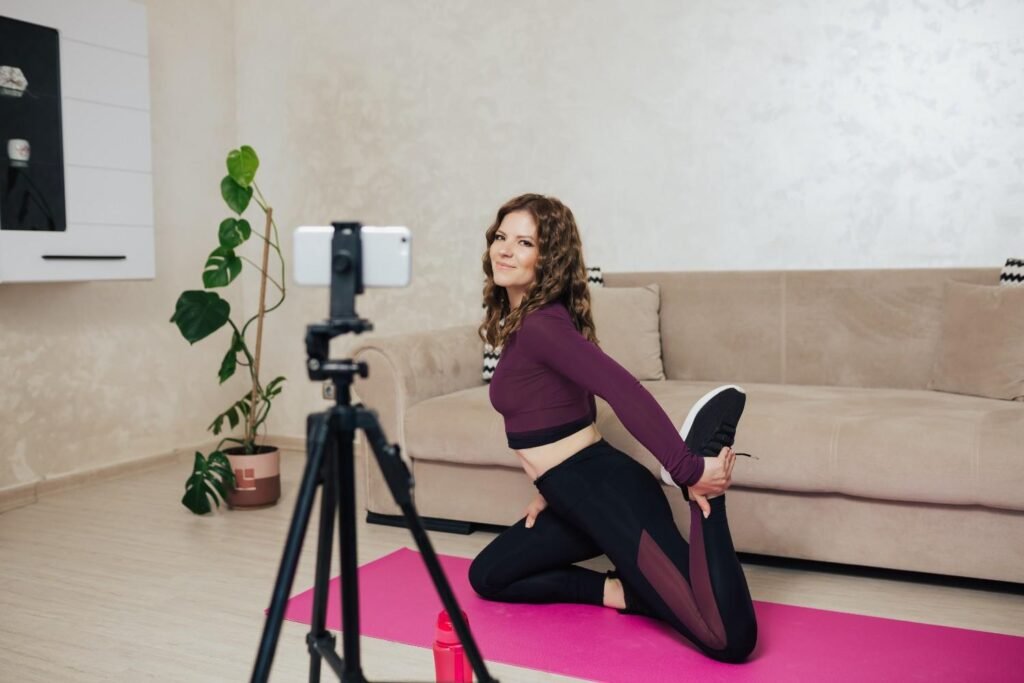
A product can look amazing in real life and still fail online if the video does not show its value clearly. That is why learning how to make product videos at home is so useful for small business owners, ecommerce sellers, and creators across the US. You do not need a studio, a professional camera, or a large budget to create videos that look clean and convincing.
With the right lighting, backdrop, phone settings, camera movement, and editing style, you can turn a simple home setup into content that helps your product stand out and sell.
Why Do Product Videos Matter for Online Sales?
Online shoppers cannot touch or test your product before buying. That means your video has to do the work of building trust quickly. A clear product demo video at home can show how the item works, what it looks like in real life, and why it is worth buying.
For US ecommerce brands, this matters because buyers compare products fast. If your competitor has a clean video and you only have basic photos, their product may feel more trustworthy. Product videos also help answer common questions about scale, material, color, features, and use.
I like to think of product videos as silent salespeople. They should grab attention, explain the product, remove doubt, and move the viewer closer to action.
What Do You Need for a DIY Product Video Setup?
A simple DIY product video setup starts with your phone. Most modern smartphones can record sharp HD or 4K footage, which is enough for social media, product pages, and ads. You also need a tripod or phone stand because shaky footage instantly makes a video look less professional.
Your basic setup can include a table, a clean background, white poster board, a roll of paper, fabric, a marble tile, a wooden board, tape, Blu-Tack, and one strong light source. If you have window light, use it. If you shoot at night, use a continuous LED light with a softbox or diffuser.
For editing, apps like CapCut, Splice, Canva, Adobe Express, iMovie, DaVinci Resolve, or Premiere Pro can help you trim clips, add captions, adjust color, include music, and export in the right format.
How Do You Plan a Product Video Before Shooting?

Before I film, I always decide what the video needs to do. Is it showing a feature? Explaining how the product works? Creating a lifestyle moment? Building excitement for a launch? Showing a before-and-after result?
A strong product video should follow a simple structure. Start with a hook, show the product clearly, highlight one or two benefits, prove the product through action, and end with a direct call to action.
For example, if you sell a travel mug, do not only show the mug sitting on a table. Show it fitting in a car cup holder, keeping coffee hot, opening smoothly, and looking good on a desk. This is how ecommerce product video tips become useful instead of generic.
How to Set Up a Product Video Studio at Home
You can create a small home product video studio near a window, on a kitchen counter, at a desk, or on a dining table. The key is to control what the camera sees. Remove clutter, clean the surface, and make sure the product is the main focus.
For a professional infinity backdrop look, tape a sheet of colored poster board, seamless paper, or clean black fabric to a wall and curve it gently onto the tabletop. This removes the harsh line where the wall meets the table and gives your video a smooth studio feel.
Props can help, but they should support the product rather than distract from it. Coffee beans can work for a coffee brand, plants can work for skincare, wood can work for handmade goods, and marble can work for beauty or jewelry products. Use Blu-Tack or double-sided tape under small items so they stay still while you film.
How to Light Product Videos at Home
Lighting is the most important part of product videography at home. Smartphone cameras perform poorly in dark rooms, so a bright and controlled setup matters more than expensive equipment.
Natural light is the easiest option. Place your table next to a large window and film when the light is soft. If direct sunlight looks too harsh, hang a sheer white curtain to diffuse it. This creates softer shadows and a cleaner product look.
You can also place white poster board, A4 paper, or foam board opposite your main light source. This bounces light back onto the product and fills dark shadows. If you want more separation, place a small rim light behind or beside the product so it stands out from the background.
Avoid mixing daylight, yellow lamps, and overhead lights because mixed lighting can make product colors look strange. This is especially important for clothing, beauty products, jewelry, candles, food items, and handmade goods.
How to Shoot Product Videos With Your Phone

If you want to know how to make product videos at home using a phone, start by cleaning your lens. A smudged lens can ruin an otherwise good video.
Use the back camera because it usually gives better quality than the selfie camera. Tap and hold your product on the screen to lock focus and exposure. This stops the camera from hunting for focus or changing brightness while you record.
Shoot in 4K if your phone has enough storage, or use 1080p if you want smaller files. If you want smooth slow-motion clips, shoot in 60fps or 120fps and slow the footage down during editing. Avoid the ultra-wide lens because it can distort product shape. A standard lens or 2x lens usually keeps the product looking more natural.
For TikTok, Instagram Reels, YouTube Shorts, and Pinterest, shoot vertical video. For YouTube, website banners, and landing pages, shoot horizontal video. If you need both, leave extra space around the product so you can crop later.
What Product Video Shots Should Beginners Capture?
A strong product video uses a mix of shots. Start with a hero shot that clearly shows the full product in the first one or two seconds. Then move into close-ups that show texture, buttons, packaging, stitching, shine, ingredients, labels, or fine details.
A 360-degree shot works well for items buyers want to inspect from every side. You can place the product on a lazy Susan, kitchen turntable, or rotating display stand and spin it slowly by hand while keeping the camera still.
A product-in-use shot is even more powerful. Show the candle being lit, the skincare product being applied, the kitchen tool chopping food, the bag being packed, or the tech accessory being connected. Action makes the product easier to understand.
You can also use simple DIY camera movement tricks. Place your phone or mini tripod on a folded microfiber towel and slide it across a smooth table for a low-budget slider effect. Plant two tripod legs on the floor and tilt the camera over the product for a tripod arc. Place a card or prop in front of the lens, then pull it away quickly to create a hero reveal.
How to Edit Product Videos for a Professional Look
Editing turns separate clips into a clear story. Start with your strongest hero shot so viewers understand the product immediately. Then cut to close-ups, movement shots, product-in-use clips, and final CTA (Call to action).
Keep social media videos short and sharp. For TikTok, Reels, and Shorts, 10 to 30 seconds often works well. For product pages, 30 to 60 seconds is usually enough. A longer YouTube demo can work if the product needs explanation.
Cut your clips to the beat of the background music when possible. This makes the video feel more polished and intentional. Add text overlays because many people watch videos without sound. Use simple captions to highlight benefits, sizes, materials, features, and offers.
Avoid overusing transitions or effects. Clean cuts, clear lighting, readable text, and good pacing usually look more professional than flashy edits.
Product Video Ideas for Small Businesses

The best product video ideas for small business owners are simple and customer-focused. A skincare brand can show texture, application, packaging, and a clean bathroom setup. A jewelry brand can show sparkle, close-up details, and styling ideas. A candle brand can show lighting, wax texture, room mood, and packaging.
For food or drink products, show pouring, slicing, steam, freshness, or condensation. For handmade products, show the making process. For fashion accessories, show how the product fits into a daily outfit. For tech products, show setup, use, and convenience.
When you create videos this way, your content does more than look nice. It answers buyer questions and makes the product easier to trust.
Common Product Video Mistakes to Avoid
One common mistake is filming in a cluttered room. The background should never compete with the product. Another mistake is using poor lighting or harsh overhead bulbs. Bad lighting can make even a premium product look cheap, especially when you are not using natural light for videos correctly.
I would also avoid shaky handheld shots, warped ultra-wide footage, long intros, random props, too many transitions, and videos with no clear call to action. Every product video should tell viewers what to do next, whether that means visiting your shop, choosing a color, checking the size chart, saving the video, or placing an order.
Final Checklist Before Publishing
Before publishing, watch your video without sound. If the product is not clear, add captions or text overlays. Check that the first two seconds show the item clearly. Make sure the lighting looks clean, the background feels intentional, and the product benefit is obvious.
Also confirm that your video matches the platform. Use 9:16 for TikTok, Reels, and Shorts. Use 1:1 for some feed posts. Use 16:9 for YouTube, websites, and landing pages.
Frequently Asked Questions (FAQs)
1. Can I shoot professional product videos with my phone?
Yes, you can shoot professional-looking product videos with your phone. Use the back camera, lock focus and exposure, record in good light, stabilize your phone, and edit with simple, clean cuts.
2. What is the best lighting for product videos at home?
Soft window light is one of the best options for beginners. Place the product near a window, diffuse harsh sunlight with a sheer curtain, and use white poster board to bounce light into shadows.
3. How long should a product video be for social media?
For TikTok, Instagram Reels, and YouTube Shorts, 10 to 30 seconds usually works well. Product page videos can be 30 to 60 seconds if the product needs more detail.
4. What background should I use for product videos?
Use a clean background that matches your product style. Poster board, seamless paper, fabric, wood, marble tile, or a plain wall can work well. Keep props minimal and intentional.
5. What are easy product video shots for beginners?
Start with a hero shot, close-up detail shot, 360-degree spin, product-in-use shot, packaging reveal, and lifestyle shot. These clips help buyers understand the product quickly.
Conclusion
Learning how to make product videos at home can help you create better content, improve consumer confidence, and make your product look more professional online. You only need a simple setup, steady footage, good light, creative camera movement, and clean editing.
Start with one product and one short video. Test different backgrounds, angles, hooks, and edits. Once you find a process that works, you can repeat it for your website, social media, ads, and online store.