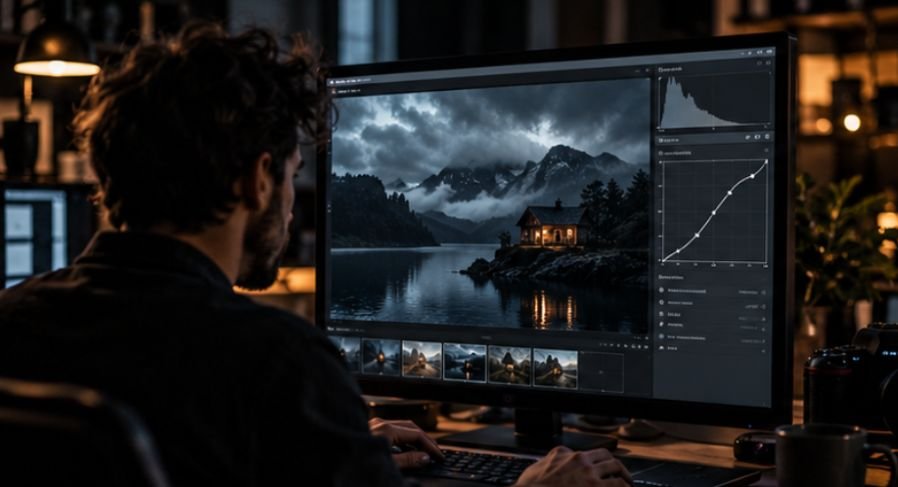
A dark photograph is not automatically a moody photograph. The difference is surprisingly important: simply lowering exposure can leave an image muddy, lifeless, and difficult to read, while a successful moody edit still gives the viewer a clear visual path through the frame.
Learning how to edit moody dark photography is therefore less about making everything darker and more about controlling where brightness, contrast, color, and detail survive. The strongest edits protect the subject while allowing less important parts of the photograph to recede. That balance is what gives a dark image atmosphere without sacrificing quality.
Moody Editing Starts With Tonal Separation, Not Darkness
Photography educators treat exposure, lighting, color correction, and editing as parts of the same visual workflow rather than isolated adjustments. Harvard Extension School’s digital photography curriculum, for example, combines exposure, composition, lighting, editing, color correction, and digital workflow management. That matters because a convincing dark edit usually contains several different brightness levels.
Imagine a portrait photographed beside a window. The wall behind the subject can fall deeply into shadow, the clothing can remain subdued, the face can sit in the middle tones, and a small highlight can remain in the eyes or along the cheek.
If every region becomes equally dark, the photograph loses depth.
Before moving sliders, ask three questions:
- Where should the viewer look first?
- Which details can disappear without hurting the image?
- Which highlights must remain visible?
Those decisions should drive the edit.
A Practical Workflow for How to Edit Moody Dark Photography
1. Begin With Exposure, but Avoid Immediate Underexposure
Start with a correctly exposed RAW file whenever possible. Trying to create mood by severely underexposing the original capture can reduce your editing flexibility, especially in deep shadows.
Lower exposure modestly until the image develops atmosphere, then evaluate the histogram rather than relying only on how dark your monitor looks.
Do not automatically force the histogram toward the left edge. Large areas of dark tone may be appropriate, but important subject information should not disappear accidentally.
For a stronger technical foundation before stylizing photographs, reviewing techniques that improve image quality can help separate genuine image-quality problems from stylistic choices.
2. Build Contrast With the Tone Curve
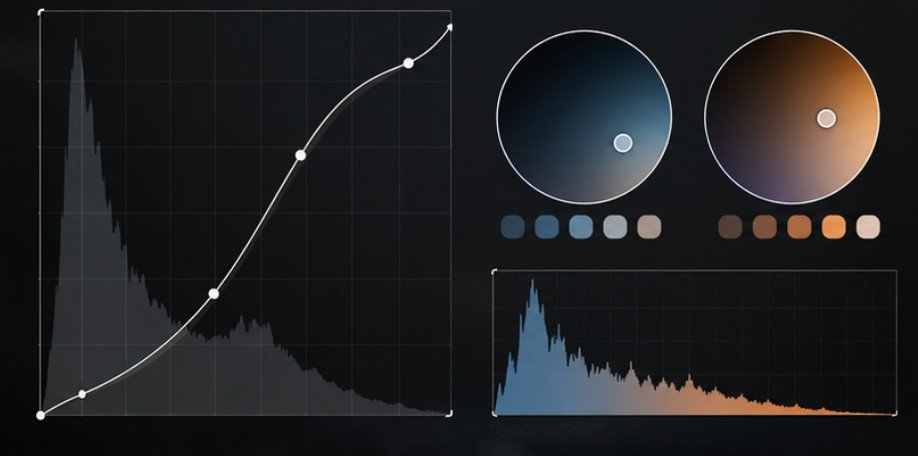
The contrast slider affects the photograph broadly. A tone curve gives you considerably more control.
Start with a gentle S-curve:
Lower the darker midtones slightly. Raise brighter midtones or highlights modestly. Keep checking important facial or subject details. You can also lift the extreme black point slightly to create faded, film-like blacks. However, this produces a different effect from deep cinematic blacks.
Matte blacks feel soft and nostalgic. Deep blacks tend to feel cleaner, heavier, and more dramatic. Choose intentionally rather than applying both automatically.
3. Control Shadows and Blacks Separately
These controls are often treated as interchangeable, but they influence different parts of the tonal range.
Reducing shadows can darken broader areas containing visible texture. Lowering blacks mainly strengthens the darkest points.
For portraits, food photography, interiors, and lifestyle photography, aggressive shadow reduction can quickly destroy dimensional detail. Instead, deepen blacks first and then decide whether the remaining shadow texture is distracting.
A useful test is to temporarily zoom out until the photograph is thumbnail-sized. If the subject disappears into its surroundings, the shadows probably need more separation.
Color Creates More Mood Than Exposure
Darkness sets the tonal atmosphere. Color often determines the emotional one. A slightly cooler white balance can introduce tension, quietness, or cinematic atmosphere. Warmer photographs can instead feel intimate, autumnal, nostalgic, or candlelit. Avoid assuming every moody image needs teal shadows and orange highlights.
Use HSL to Simplify the Palette
The Color Mixer or HSL panel is one of the most useful tools in this style. Start by reducing distracting greens, blues, purples, or other colors competing with your focal point. Then carefully protect or enhance colors that matter.
For a portrait, that usually means keeping oranges and reds believable because they strongly influence skin. For an autumn landscape, oranges and yellows may become the dominant storytelling colors.
For an architectural photograph, you might suppress bright signage or foliage so lines, light, and structure dominate instead. The goal is not simply desaturation. It is color hierarchy.
Add Color Grading After the Image Already Works
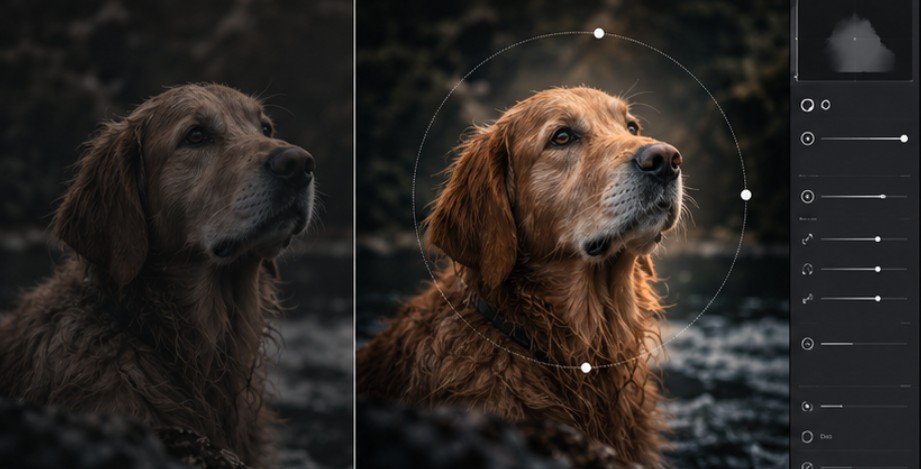
Color grading works best near the end of the process. A restrained approach is to introduce cool blue or cyan into the shadows and warmer yellow, amber, or orange into brighter areas. The combination creates temperature contrast even when the image is relatively dark. Keep saturation subtle. If viewers notice the grading before they notice the subject, it may be too strong.
Color also depends on the viewing system. The Library of Congress notes that digital color can appear differently across monitors and printers, while ICC color-management systems use device profiles to improve consistency between capture, display, and output devices.
For final web exports, maintaining an appropriate embedded profile is therefore worth treating as part of the creative workflow rather than an afterthought. The Library of Congress specifically identifies sRGB as a preferred RGB space when broader color-management systems are not being used.
The International Color Consortium also provides detailed information about ICC profiles and digital photography workflows.
Masking Is What Makes the Subject Survive
Modern masking tools make dark editing much more precise.
Instead of brightening the entire picture after making it too dark, create a subject mask and raise exposure or shadows only where needed. A small increase can restore separation without destroying the atmosphere.
Then use linear gradients or background masks to reduce exposure around distracting edges.
A radial gradient can work like controlled local lighting, gently brightening the face, product, plate of food, or architectural detail that should hold attention.
This approach is more convincing than simply applying a heavy vignette.
If you are still deciding whether dramatic grading fits the project, this guide to choosing the right editing style can help distinguish stylistic consistency from applying the same look to every photograph.
Be Careful With Texture, Clarity, and Noise
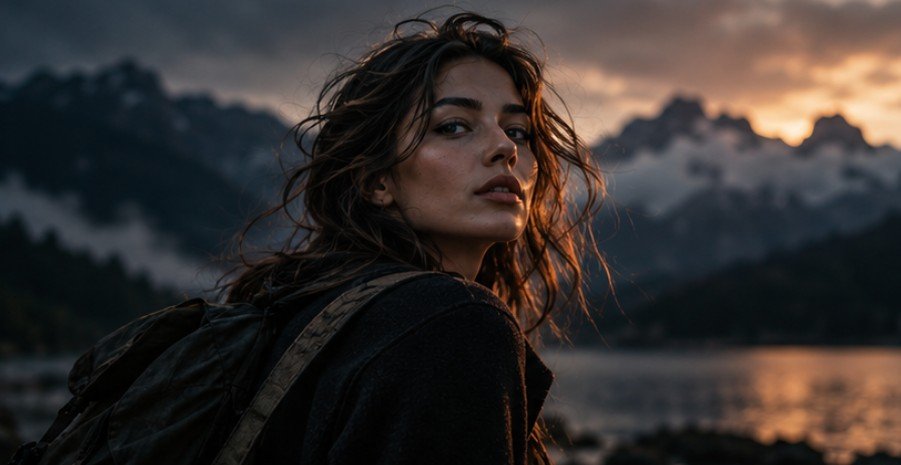
Dark images encourage photographers to add clarity because extra microcontrast can make subdued scenes appear sharper. Too much creates hard edges, emphasized pores, halos, and unpleasant noise.
For portraits, keep texture and clarity restrained. Landscapes, weathered buildings, leather, wood, and similarly detailed subjects may tolerate more. Darkening shadows can also make sensor noise more noticeable. Apply noise reduction after major exposure changes rather than judging noise from the untouched RAW file.
Getty’s digital-imaging viewing and printing guidance also emphasizes controlled viewing conditions and color-managed files, illustrating why editing decisions should not be made solely on an excessively bright, uncalibrated display.
Research from Rochester Institute of Technology similarly explains that different cameras, monitors, and output devices can reproduce different color gamuts, which is why consistent color management matters across a photographic workflow.
This final review is also a useful part of a broader professional photo editing strategy when multiple images need a consistent visual identity.
Frequently Asked Questions
1. How dark should a moody photograph be?
Dark enough to establish atmosphere, but not so dark that the subject becomes difficult to identify. Preserve important midtones and highlights while allowing secondary areas to recede.
2. Should I use warm or cool colors for moody photography?
Either works. Cool shadows often feel cinematic or quiet, while warm browns, oranges, and yellows can create an intimate, earthy atmosphere.
3. Can I create moody edits from JPEG photos?
Yes, but RAW files provide substantially more latitude for exposure, white-balance, highlight, and shadow adjustments before visible image degradation appears.
4. Is how to edit moody dark photography mainly about presets?
No. Presets provide a starting point, but masking, exposure relationships, color control, and subject separation determine whether the final photograph actually works.
Final Thoughts
The strongest dark photographs are rarely the ones with the lowest exposure. They are the ones where darkness has been placed deliberately.
I would begin by controlling tonal separation, shape contrast with the curve, simplify the color palette, and then use masks to protect whatever carries the story. Only after those decisions work should color grading, vignetting, clarity, and finishing effects enter the process.
If the viewer can immediately find the subject while still feeling the atmosphere surrounding it, the edit is doing its job. Darkness should guide attention, not hide the photograph.