I find videos more compelling when the supporting footage helps me understand something the speaker cannot fully explain. A nervous hand, an unfinished project, or a satisfied expression can communicate more than another sweeping camera move. That is the approach behind how to film b-roll that improves your video storytelling: choose images that give viewers useful information and a reason to keep watching.
You can apply this approach with a smartphone or camera. Start with the message, capture connected actions, and give yourself enough coverage to build a clear sequence.
Give Every Shot a Storytelling Job
B-roll is supporting footage used alongside interviews, narration, or other primary material. It can establish a location, explain an activity, reveal emotion, demonstrate results, or cover an edit.
Before recording, ask what viewers will learn from the shot. A workshop exterior establishes place. Worn tools suggest repeated use. A close-up of a damaged chair explains the problem.
Attractive footage becomes valuable when its purpose is clear. Remove a shot mentally: if viewers lose important context, emotion, or understanding, it probably belongs.
Turn Your Message Into a Simple Shot List
Read your script or outline and identify moments that need visual support. Translate abstract claims into observable actions. If someone says their repair process requires patience, film careful measuring, repeated adjustments, and inspection. Those images demonstrate the claim more effectively than unrelated shelves or equipment.
Write down the action, framing, location, and intended purpose for each shot. When choosing your framing, understanding long shots in film can help you show the subject’s relationship to the surroundings. Group recordings by location to reduce unnecessary setup changes, while keeping the story order available for editing. Prioritize essential footage before experimenting with decorative angles.
A clear shot list also helps you organize the footage needed to tell a complete story without missing important moments. For practical planning tips, how to plan a better video shoot with a simple shot list.
Capture a Complete Sequence
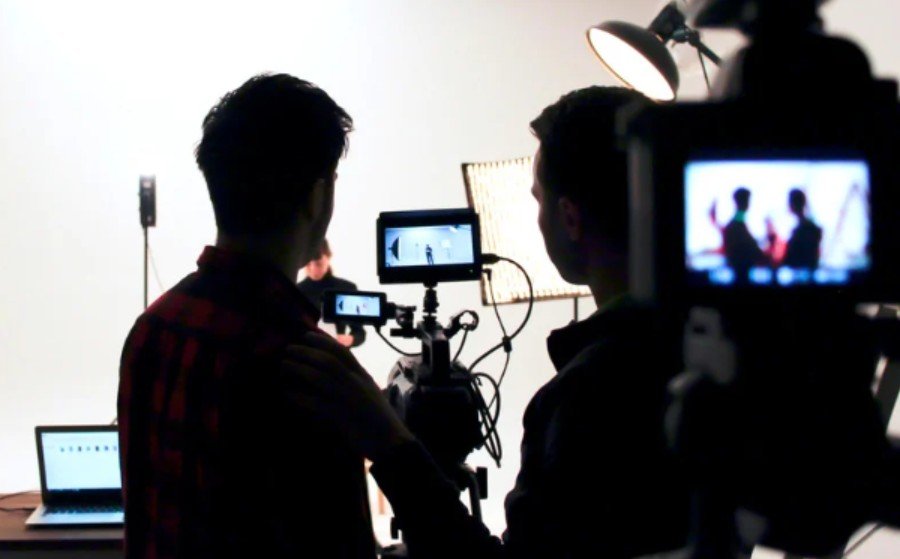
Understanding how to film b-roll that improves your video storytelling means thinking beyond isolated clips. Record enough connected views to show an activity developing.
Establish the Setting
Capture a wide view that explains where the action happens and how the person relates to the surroundings. Keep important context visible rather than blurring everything behind the subject.
Show the Action and Details
Use a medium shot to make the activity understandable. Then move closer to reveal hands, materials, controls, or another detail viewers need to see.
An over-the-shoulder view can connect the person with their task and offer a useful perspective change.
Include a Reaction and Result
Record the person checking their work, responding to a difficulty, or examining the finished outcome. These moments give the sequence human meaning.
Vary framing and camera position enough that neighboring shots feel distinct.
Build a Beginning, Middle, and Payoff
Consider a short video about repairing a bicycle tire. Random shots of wheels, helmets, and streets establish the topic but leave the process unclear.
A stronger sequence shows the flat tire, the rider finding the puncture, hands applying a patch, the tire being inflated, and the bicycle moving again.
Each image answers a question raised by the previous one. What happened? What needs fixing? Did the repair work?
This structure also helps tutorials, product demonstrations, travel videos, and behind-the-scenes stories feel purposeful.
Choose Movement That Supports the Moment
Move the camera when movement reveals information, follows action, or changes how viewers experience the scene.
A slow move toward an unfinished project can direct attention to the challenge. Following someone into a room introduces a new setting. A stationary close-up can make delicate work easier to follow.
Mix moving shots with stable compositions. Brace your elbows, use available support, or choose a tripod when necessary. Slow motion can emphasize an important detail, but everyday actions often communicate more clearly at normal speed.
When deciding whether to slow down a B-roll sequence, consider how the frame rate will affect the movement and mood of the final footage. Learn how to choose the right frame rate for video to match your recording settings to the effect you want.
Record Footage You Can Actually Edit
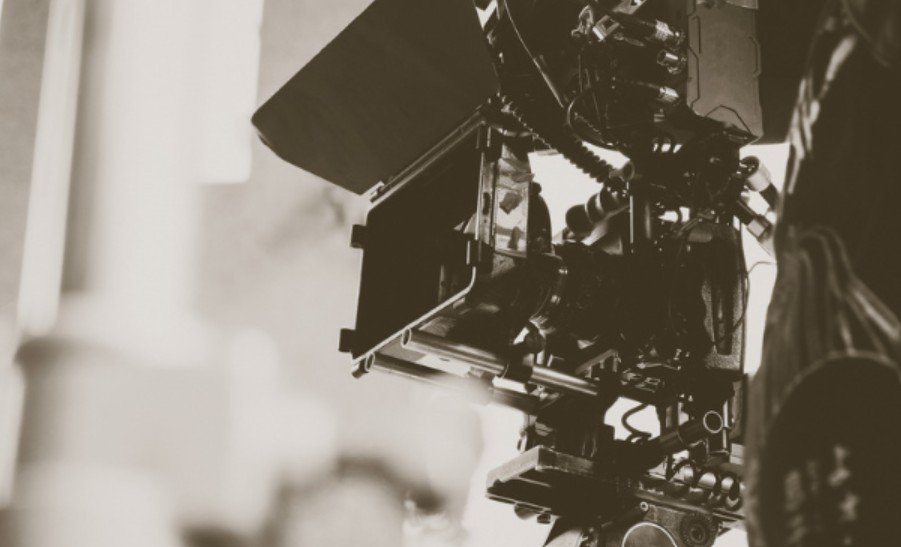
Begin recording before the action starts and continue briefly after it finishes. Capture the complete movement whenever possible.
For simple static shots, roughly ten seconds can provide useful editing room, though longer actions require longer takes. Recording duration and final screen time serve different purposes.
Check focus and exposure before each take. Keep white balance consistent within the same lighting conditions, and avoid accidental brightness changes between connected views.
On a phone, use focus and exposure locks when available. Capture alternatives for important moments instead of relying on one take.
Preserve Continuity and Natural Sound
Watch hand positions, object placement, movement direction, and the stage of the activity. If a cup suddenly changes hands between angles, viewers may notice the inconsistency.
For repeatable tasks, ask the subject to repeat the action naturally. For unrepeated events, prioritize capturing the moment.
Record useful sounds such as footsteps, tools clicking, water pouring, or fabric moving. Capture room ambience separately when practical.
Clear environmental sound can make B-roll feel more immersive, from footsteps on a trail to tools working outdoors. For practical advice on reducing wind and background noise while recording, how to record clear audio for videos outdoors.
These recordings help connect shots and make the environment feel present.
Edit for Meaning Before Adding Effects
Build the spoken story first, then place supporting footage where it clarifies the message. Use relevant shots to cover interview trims while preserving the speaker’s intended meaning.
Let some images arrive slightly before the matching narration when they introduce a question or setting. Allow useful sound to continue across a cut for smoother transitions.
Watch once without audio. Can you follow the activity? Then listen without looking. Does the footage support the spoken message when combined?
Remove repetition and shots that delay the payoff.
Frequently Asked Questions
1. What is the first step in learning how to film b-roll that improves your video storytelling?
Identify what the audience needs to understand, then choose observable actions and details that communicate it.
2. Can I capture useful supporting footage with a smartphone?
Yes. Clear framing, stable footage, consistent exposure, and meaningful subjects matter more than owning specialized equipment.
3. How much footage should I record?
Capture enough distinct coverage for each important story beat, including complete actions and alternatives. There is no universal footage ratio.
Final Thoughts
I would rather watch a simple sequence that makes an activity understandable than a collection of impressive shots with little connection. Plan around the message, notice human reactions, and record the outcome. When every image contributes something, even an ordinary subject can become a story worth following.