A few years ago, improving a blurry or low-resolution photo usually meant spending hours inside professional editing software. Even then, the results were often disappointing. Enlarging an image typically stretched existing pixels, making photos look softer and more pixelated rather than clearer.
Today, AI image enhancement has changed that process completely. Modern tools can analyze an image, identify missing details, reduce noise, and improve image clarity within seconds. Whether you’re working with product photography, social media content, old family photos, or smartphone snapshots, AI can help transform average images into professional-looking visuals without requiring advanced editing skills.
What Is AI Image Enhancement?
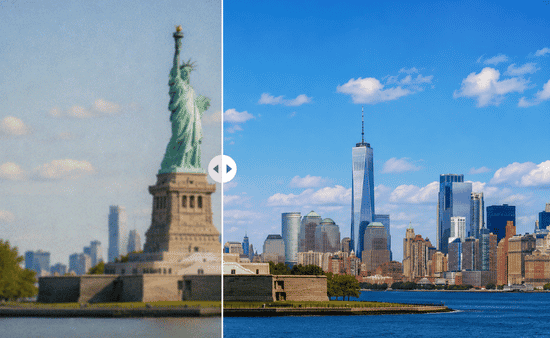
AI image enhancement uses artificial intelligence and neural networks to improve image quality automatically. Instead of simply enlarging an image, the technology studies patterns, textures, lighting, and edges to recreate details that appear more natural and realistic.
This approach differs from traditional image editing. Standard upscaling often produces blurry results because it stretches existing pixels. AI image enhancement generates new detail intelligently, helping create sharper images while maintaining a natural appearance.
As AI photo enhancement tools continue to evolve, they are becoming valuable for photographers, marketers, designers, e-commerce sellers, and everyday users who want better image quality without complex editing workflows.
Why More People Are Using AI To Improve Photo Quality
Visual content plays a major role across websites, online stores, advertising campaigns, and social media platforms. Poor image quality can affect engagement and credibility.
AI image enhancement helps solve common problems such as:
- Blurry photos
- Low-resolution images
- Image noise and grain
- Compression artifacts
- Poor lighting conditions
- Faded or damaged photographs
The biggest advantage is speed. Tasks that once required professional editing experience can now be completed in minutes.
The Step-By-Step AI Image Enhancement Workflow
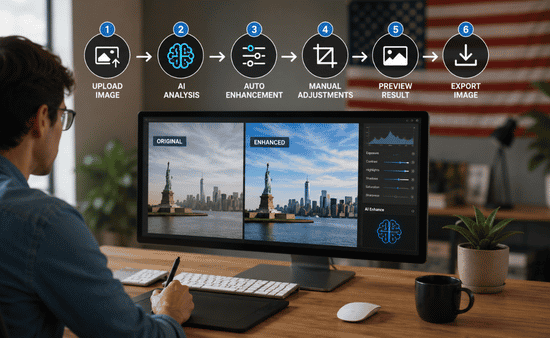
One reason AI image enhancers have become so popular is their simplicity. Most platforms follow a highly automated process.
Upload Your Image
Start by uploading your JPG, PNG, or WebP file. Most AI image enhancement tools support drag-and-drop functionality, making the process straightforward even for beginners.
Select The Appropriate AI Model
Many modern platforms offer specialized models designed for different image types. Choosing the right model helps improve image resolution more accurately and prevents unwanted distortions.
Choose Your Upscaling Level
Most AI image upscaling tools allow users to increase resolution by 2x, 4x, 8x, or even 16x. The ideal setting depends on how you plan to use the image.
For example, a website banner may require a smaller enhancement than a large printed display.
Process And Download
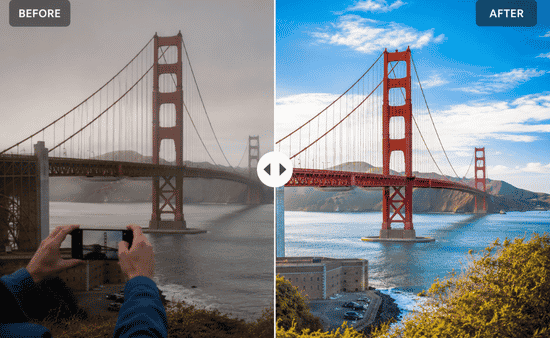
After selecting your settings, the AI processes the image automatically. Most tools provide a before-and-after preview so you can compare the results before downloading the final file.
Match The Right AI Model To Your Photo
One mistake many users make is applying the same enhancement settings to every image. Different image types benefit from different AI models.
Face And Portrait Enhancement
Portrait-focused models are designed to preserve facial features, skin tones, and hair textures. They help remove pixelation while avoiding the overly smooth “plastic skin” effect that can make faces look unnatural.
Low-Light And Denoise Enhancement
Images taken at night or indoors often contain visible grain and color noise. Denoise models reduce these imperfections while improving exposure and preserving important details.
These enhancements can be especially valuable when applying low light photography tips without flash that work, as they help photographers capture cleaner, more natural-looking images in challenging lighting conditions while maintaining the atmosphere and detail of the original scene.
Landscape And Object Enhancement
Landscapes, architecture, wildlife photography, and product images contain different textures and patterns. Specialized models can sharpen edges, improve texture detail, and enhance image clarity without creating unrealistic artifacts.
4 Simple Ways To Improve Photo Quality With AI
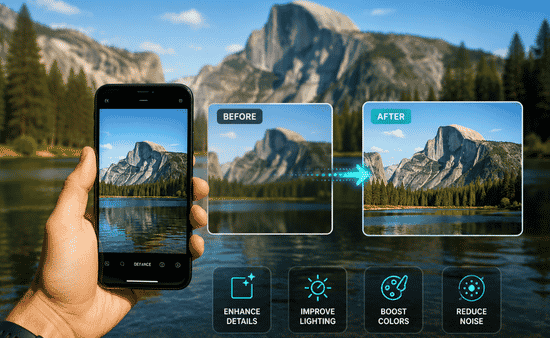
1. Use AI Super-Resolution Upscaling
AI super-resolution is one of the most popular image enhancement techniques available today.
It enlarges an image while generating realistic detail rather than simply stretching pixels. This makes it particularly useful for converting web-sized graphics into high-resolution images suitable for printing or professional presentations.
2. Fix Blurry Photos With AI Unblur Tools
Motion blur, camera shake, and focus issues can ruin an otherwise excellent photo.
AI-powered unblur tools analyze edge definitions and missing details to recover sharpness. While they cannot completely fix severely damaged images, they often produce impressive improvements for mildly blurry photos.
3. Remove Noise And Compression Artifacts
Images shared through messaging apps or downloaded from websites often suffer from compression damage.
AI image enhancers can identify and remove these artifacts while preserving important details. This process is especially useful for older digital photos and low-quality online images.
4. Improve Color And Contrast Automatically
Flat colors and poor exposure can make even sharp images look unprofessional.
Many AI photo enhancement tools automatically balance highlights, shadows, contrast, and color tones. This creates more vibrant images while maintaining a natural look.
Common Mistakes That Hurt AI Enhancement Results
AI is powerful, but it is not magic. Understanding its limitations helps produce better outcomes.
Starting With Extremely Poor Images
If a photo suffers from severe motion blur or is heavily damaged, even advanced AI image enhancers may struggle to recover useful details.
Whenever possible, begin with the highest-quality original image available.
Overprocessing The Image
Many users assume maximum sharpening equals maximum quality.
In reality, excessive enhancement can create strange textures, unnatural skin tones, and artificial-looking edges. Moderate adjustments often deliver the most realistic results.
Ignoring The Final Use Case
Not every image requires aggressive upscaling.
A social media image may look excellent at a lower resolution, while a large printed banner may require more substantial enhancement. Matching the enhancement level to the intended use helps maintain image quality.
When AI Image Enhancement Works Best
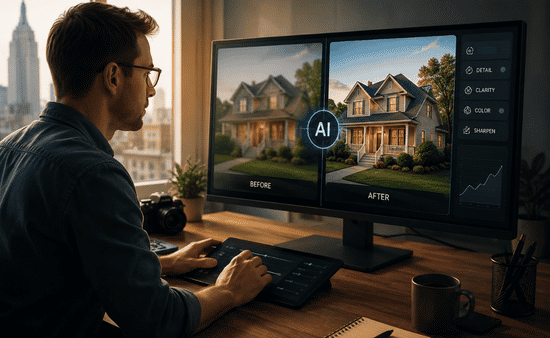
AI image enhancement delivers particularly strong results in several situations:
- Restoring old family photographs
- Improving e-commerce product images
- Enhancing social media content
- Preparing images for printing
- Improving smartphone photography
- Upgrading website visuals
- Creating marketing materials
In these scenarios, AI often saves significant time while delivering professional-quality improvements.
FAQs: AI Image Enhancement Guide: Simple Ways To Improve Photo Quality
How does AI image enhancement improve photo quality?
AI image enhancement uses machine learning models to analyze image content, reconstruct details, reduce noise, sharpen edges, and improve overall image clarity.
Can AI fix extremely blurry photos?
AI can improve moderately blurry photos, but images with severe motion blur or major focus issues may still have limitations.
Is AI image upscaling better than traditional resizing?
Yes. Traditional resizing stretches existing pixels, while AI image upscaling generates realistic details that help maintain sharpness and image quality.
What types of images benefit most from AI enhancement?
Portraits, product photos, old photographs, smartphone images, landscapes, and low-resolution digital files often see the biggest improvements.
Final Thoughts
AI image enhancement has made professional-quality image editing accessible to almost everyone. What once required advanced software and years of editing experience can now be accomplished in just a few clicks.
From sharpening blurry photos to restoring old memories and preparing images for professional use, AI continues to reshape how we approach photo quality enhancement. The key is understanding which tools and techniques fit your specific image rather than relying on automatic settings alone.
When used thoughtfully, AI can dramatically improve image quality while keeping photos natural, realistic, and visually engaging.
Meta Title: AI Image Enhancement Guide To Improve Photo Quality
Meta Description: AI image enhancement guide covering simple ways to improve photo quality, sharpen blurry images, upscale resolution, and boost visual clarity.