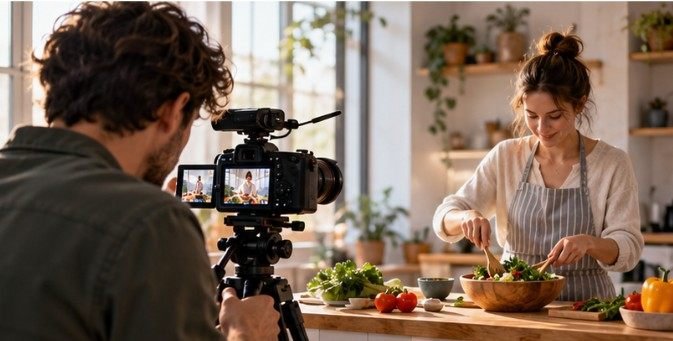

The most useful marketing footage is often the material nobody originally planned to make the centerpiece of a video. A five-second shot of hands packing an order, an employee entering a studio, or a designer sketching an idea can solve dozens of future editing problems.
That is why smart brands increasingly treat b-roll footage ideas for visual marketing as reusable assets rather than one-off filler. Instead of organizing a full production every time an Instagram Reel, product video, ad, or website clip is needed, businesses can continually capture short pieces of real activity and build a visual library around them.
The best B-roll does more than make a video prettier. It gives editors context, hides cuts, demonstrates expertise, controls pacing, and shows audiences what a brand actually feels like.
Why B-Roll Deserves Its Own Marketing Strategy
B-roll traditionally describes supplementary footage placed around the primary interview, presentation, or narrative. In marketing, its role has become broader.
The University of Delaware describes B-roll as an important production tool for supporting narration and creating smoother transitions between scenes. Its multimedia guidance specifically emphasizes capturing footage that strengthens the main story rather than collecting random visuals. That distinction matters. Attractive footage without narrative purpose quickly becomes decoration.
Build B-Roll Around Actions, Not Poses
One of the simplest improvements marketers can make is filming verbs. Typing is better than sitting at a desk. Pouring coffee is better than holding a mug. Measuring fabric is better than standing next to a sewing machine. Actions naturally create visual progression.
Capture the beginning of the workday
Ordinary routines can become remarkably flexible marketing footage: Opening a storefront, unlocking a studio, placing a laptop on a desk, switching on equipment, arranging tools, making coffee, putting on headphones, or walking through an office can introduce educational videos, founder stories, social posts, or advertisements.
These clips create what editors call establishing context. Before viewers hear what happened, they understand where they are. Avoid performing exaggerated routines solely for the camera. Small, believable gestures generally feel more convincing than constant smiling and pointing.
Show work actually happening
Some of the strongest b-roll footage ideas for visual marketing demonstrate competence without explicitly claiming it.
A designer can record an over-the-shoulder view of adjusting a layout. A photographer can capture lens changes and image selection. A consultant can film notes being reviewed before a client call.
Try collecting:
- Hands typing or clicking
- A notebook filling with ideas
- Analytics being reviewed
- Equipment being prepared
- A whiteboard changing during planning
- Products being inspected
- Team members discussing a project
- A finished task being checked off
These shots function as visual evidence.
UC Berkeley Journalism teaches visual storytelling through composition, lighting, framing, interviews, and sequences rather than treating individual beautiful shots as isolated pieces.
Marketers should use the same principle: think in sequences.
Instead of filming only someone typing, capture the person entering the room, opening the laptop, typing, checking the screen, writing a note, and closing the laptop. Six simple clips suddenly provide enough material to construct a miniature story.
Product Brands Need Texture and Transformation

E-commerce B-roll should make viewers almost feel the object. Shoot tight details of fabric, stitching, brushed metal, condensation, packaging paper, product buttons, ingredients, surface finishes, or moving components. Then capture transformation.
For a bakery, show ingredients becoming dough and dough becoming finished pastries. For a skincare company, show formulation, filling, labeling, packaging, and final presentation. For a home-goods seller, show assembly and real-world use rather than endlessly rotating products against blank backgrounds.
Packaging footage is especially reusable. Record tissue folding, boxes closing, labels printing, tape being cut, stacks of outgoing orders, and parcels leaving the workspace.
A single 20-minute filming session can produce dozens of clips.
Use Everyday Camera Techniques to Create More Variety
You do not need six locations to make six visually different shots. Change perspective instead.
Shoot through foreground objects
Position a plant, doorway, monitor, shelf, or piece of equipment partially in front of the lens. The obstruction adds depth and makes the camera feel present inside a real environment rather than parked in front of a staged scene.
Go unusually low
Place a phone near floor level and record someone walking through the space, sitting at a workstation, or carrying products past the camera.
Low angles can make ordinary offices, workshops, and retail environments feel larger and more cinematic.
Capture macro details
Move closer than feels necessary. Finger movements, keyboard keys, turning knobs, scissors cutting material, a pen touching paper, packaging seals, or a mouse click can become excellent one- or two-second cutaways. Editors often need these tiny clips precisely because they let them disguise awkward transitions.
Use wide movement sparingly
An ultra-wide phone lens can work well for a person walking toward or away from the camera or moving through a workspace. Do not rely on it for everything. Ultra-wide perspectives can distort faces and objects near the edge of the frame. Mix wide, medium, close, and extreme-close shots instead.
Try the 5 × 3 B-Roll Method
Rather than wandering around filming whatever looks interesting, use a repeatable system.
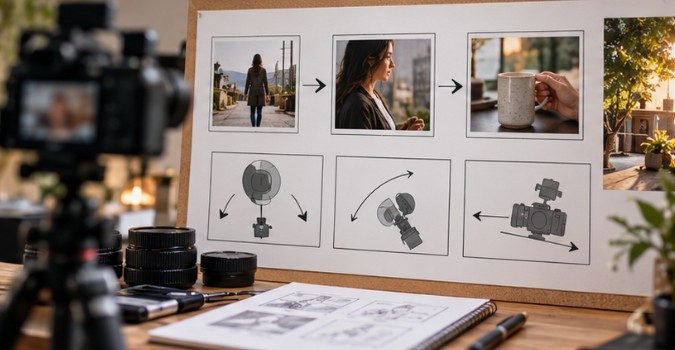
Choose five actions central to your business. For each action, record three perspectives:
- One wide shot showing the environment.
- One medium shot showing the person performing the action.
- One close shot showing the important detail.
Five actions multiplied by three angles creates 15 usable clips in a short session.
A coffee shop, for example, could film grinding beans, preparing espresso, steaming milk, serving a cup, and resetting the workstation.
The same footage could later support a brand introduction, hiring video, website banner, Reel, behind-the-scenes post, or paid ad.
Organize those files using a repeatable visual content creation workflow rather than leaving hundreds of unnamed phone clips buried in a camera roll.
Make Your B-Roll Accessible From the Start
Beautiful footage can still create communication problems if all the meaning exists visually. For videos containing important spoken information, captions matter. The World Wide Web Consortium explains that captions provide synchronized text representing speech and meaningful non-speech audio for viewers who cannot access the soundtrack.
Federal accessibility guidance also recommends planning captions, audio descriptions, and other accessibility requirements during production rather than attempting to repair inaccessible media afterward.
That means B-roll should support the message without becoming the only place essential information exists. Also leave enough uncluttered screen space for captions and graphics when composing social footage.
Watch the Copyright Problem Hiding in the Background
A surprisingly common B-roll mistake is recording copyrighted material unintentionally. Music playing loudly inside a store, artwork dominating a frame, television programming on a screen, or footage downloaded without proper permission can complicate commercial use.
The U.S. Copyright Office notes that photographs, movies, music, sound recordings, and many other original creative works can receive copyright protection. U.S. Copyright Office copyright overview
Creating your own evergreen B-roll library reduces dependence on unknown online footage and gives a business better control over licensing.
For commercial campaigns, also check permissions from recognizable people, private locations, music licensors, and stock-footage providers where applicable.
Create a Library, Not a Pile of Clips
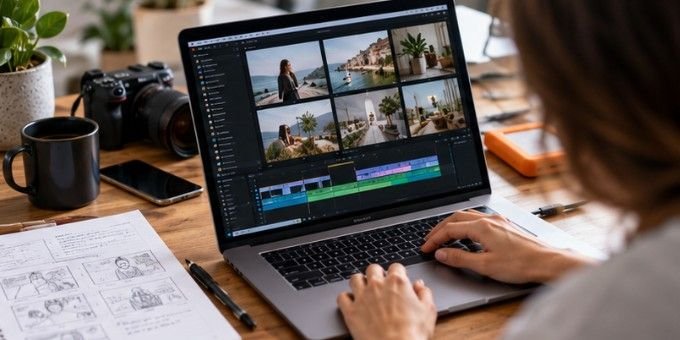
A valuable B-roll archive is searchable. Organize folders by themes such as people, products, workspace, process, packaging, meetings, lifestyle, customer experience, vertical footage, and horizontal footage. File names should describe what actually happens: packing-order-closeup-vertical.mp4 beats IMG_8472.mp4.
Review which clips perform repeatedly by tracking visual content engagement. Over time, patterns may reveal whether audiences respond better to faces, processes, close-ups, products in use, or behind-the-scenes scenes.
That information can guide the next shoot rather than relying on assumptions.
It also supports the broader principle behind using visual content to increase website traffic: visuals work best when they clarify, demonstrate, or strengthen useful information.
FAQ
1. How long should individual B-roll clips be?
Record roughly 5–15 seconds of steady action when possible. Editors may only use two seconds, but extra footage provides room to choose clean entry and exit points.
2. Can I shoot professional-looking B-roll with a smartphone?
Yes. Good lighting, stable framing, intentional movement, varied shot sizes, and clean composition usually matter more than owning an expensive camera.
3. What are the best b-roll footage ideas for visual marketing?
Prioritize real processes: working, planning, packaging, product use, customer interactions, environmental details, transitions, and close-ups that visually support the story being told.
4. Should every marketing video use B-roll?
No. Direct-to-camera footage can be more effective when personality or urgency matters most. Use B-roll when it adds evidence, context, pacing, clarity, or emotional atmosphere.
Final Frame
The advantage of B-roll is not that one clip looks cinematic. It is that one ordinary clip can become useful repeatedly.
Start with five actions your business performs every week. Film each from wide, medium, and close perspectives. Capture real movement instead of staged poses, label the files clearly, and add useful new footage every month.
Eventually, opening a laptop, wrapping an order, sketching an idea, or switching off the studio lights becomes more than background footage. Those small moments form a visual vocabulary—and that vocabulary makes producing the next piece of marketing dramatically easier.